The July 2026 Kaizen work is about receipts. The platform already had a public chat lane, private Max workflows, search, memory, voice, image generation, and an operator dashboard. The newest work adds the communication layer around it: SMS, voice-call alerts, reminders, delivery receipts, profile-scoped access, and private reliability workflows with audit trails.
This article is intentionally written as release notes. The goal is to describe what is running without turning private infrastructure into public attack surface or publishing personal data.
Where the stack stands today
This article was published on July 8 and has been updated twice since. As of July 25, 2026 the platform registers 33 services across 41 manifest components — the services themselves plus the wrappers, proxies and edge pieces they depend on. The snapshot further down is kept as it was written, because the point of a release note is to show the distance travelled.
Project Kaizen public-safe snapshot — July 25, 2026
Registered services: 33
Manifest components: 41
Public lanes: KaizenAI Open (web), voice and SMS (phone)
Private lane: Max
Dashboard: protected AI Orchestrator Console
Communications: SMS, real-time calls, email, Pushover, reminders
Public boundary: no private memory, no device control, no internal tools,
                 no hardware or platform identity
Stack snapshot at publication — July 8
On July 8, 2026, the local Kaizen controller reported 27/27 services running. The service registry contained 26 registered services, and the live status also included the SMS callback tunnel used by the communications path. Those were the figures on the day; see above for where the stack stands now.
Project Kaizen public-safe snapshot — July 8, 2026
Status: 27/27 services running
Registered services: 26
Public lane: KaizenAI Open
Private lane: Max
Dashboard: protected AI Orchestrator Console
Communications: Telnyx-backed SMS, voice-call alerts, email, Pushover, reminders
Public boundary: no private memory, no device control, no internal tools
What shipped
Communications Hub
Communications Hub is the Telnyx-backed service layer for Kaizen messaging. It receives inbound SMS, stores outbound messages, tracks delivery receipts, maps phone numbers to approved Kaizen profiles, handles STOP/START/HELP deterministically, and exposes conversation state through the protected dashboard. It also sits next to the protected call paths used for operational voice alerts.
This matters because SMS is no longer a one-off workaround. It is a service with state, logs, consent boundaries, delivery status, and operator visibility.
Max SMS
Max SMS is a hidden short-form runtime lane for text messaging. It is not the same prompt surface as long-form chat. Inbound messages are mapped to a canonical Kaizen user profile, and Runtime receives that user identity so profile context and memory stay scoped to the correct person.
Unknown senders can be recorded for security and troubleshooting, but they do not receive model replies. Known SMS-enabled users can text Max, ask short questions, create reminders, and use approved contact relay behavior.
Voice-call alerts and real-time call roadmap
Kaizen can already use operational call flows where a workflow needs a voice-call alert instead of only a text notification. Those call-capable workflows remain private and approved-user only.
The next step is a real-time phone interface: an approved user calls a Kaizen number, talks to Max, and gets the same profile boundary, logging, and privacy controls that already exist for Max SMS and the private app.
Update — July 19, 2026: the real-time interface shipped. Approved users now call the Kaizen number and hold a live spoken conversation with Max, on a dedicated low-latency speech tier, with per-call logging and an operator kill switch. The roadmap paragraph above is kept as written for the record.
Reminders
The Reminders service adds durable scheduling for known Kaizen users. A user can ask Max to create, list, or cancel a reminder, and the reminder can be delivered through approved channels such as SMS, email, Pushover, or future call paths.
The service does not send arbitrary messages to arbitrary phone numbers. Reminder targets come from known user profiles, and cross-user reminders are constrained by policy.
Beacon workflows
Beacon workflows are private reliability agents for time-sensitive daily checks. A Beacon can call or check a source, preserve the source evidence, transcribe locally, classify the result, send SMS/email/call notifications, verify downstream delivery receipts where available, and keep a SQLite audit trail for authorized users.
The public description is deliberately generic. The private implementation contains personal operational details that do not belong on the public web. The engineering pattern is what matters: scheduled source check, local transcription, classification, notification, receipt verification, and history lookup.
Beacon workflow shape
1. Scheduled check starts
2. Source evidence is preserved
3. Local speech-to-text creates a transcript
4. Result is classified and stored
5. SMS/email/call notification is sent
6. Delivery receipt is verified
7. Authorized Max users can ask about historical facts
Update — what shipped in the next eleven days
The July 8 snapshot did not stay current for long. Between July 9 and July 19 the platform added an entire professional workspace and several platform-level upgrades:
- Project management decision tools. A deterministic local planning workspace with a full Gantt console, schedule-quality audits, and an AI planner that answers from live schedule reads and stages typed change proposals. The platform itself refuses to let any AI approve, apply, or export — humans keep the pen. Structural change plans can be simulated before a single change is staged.
- Live Max voice calls. The real-time phone lane described above as roadmap is now in daily service.
- Local-first search routing. A private metasearch layer now answers most search traffic with zero external API quota, with a governed paid provider as fallback.
- A deep-research lane. Explicit research jobs sweep sources local-first, verify claims in a bounded second pass, and return cited, resumable reports.
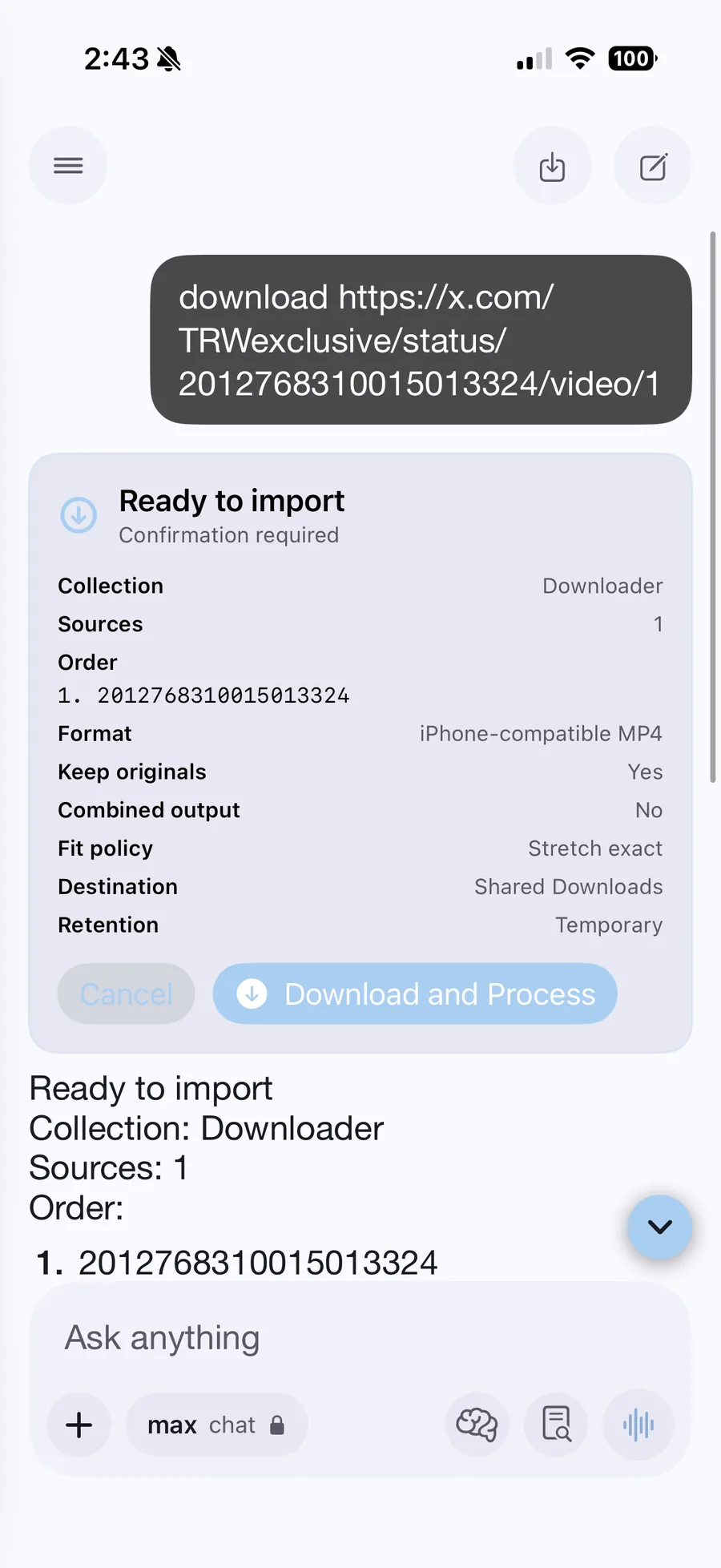
- Media Import. A private, per-user-entitled, confirmation-gated capture lane with durable progress and artifact delivery to the iOS app.
- A self-aware health lane. A standing collector samples every service, the dashboard renders live stack health, and the assistant can answer "how is the stack?" from real probes in chat or on a call.
- People & Permissions rebuilt. Access and tier management was rebuilt from the ground up, still enforced centrally at the gateway.
- Metro Scouts. Scheduled event scouts for chosen metros deliver upcoming-event digests by email.
The service footprint grew from 27 to 32 registered services over those eleven days, all still reporting green.
Update — the public phone lane, and what it forced
Between July 20 and July 25 the platform opened a second public door. Until now the only way for a stranger to reach Kaizen was the browser chat lane. Now the assistant answers a real phone line — by voice and by text — and that turned out to be the easy part.
- A public voice and SMS lane. Anyone can call or text the Kaizen number and hold a real conversation with Max. It is deliberately bounded: a small number of texts and one short call a day, no stored memory, conversation history purged after fourteen days, and STOP honored immediately. Recognized users are unaffected and still get the full private assistant on the same number.
- Memory is the boundary, and it is enforced in code. A guest turn is routed with memory switched off before any part of the assistant runs. A malformed identity fails closed to guest policy rather than falling back to a default user. Requests that would cross the line — reading another person's stored context, enumerating users, asking about the people around the owner — are refused deterministically rather than left to the model's judgement.
- The platform stopped describing its own hardware. Anything reachable from a phone number or the public web now withholds the machine, processor, operating system and vendor behind the service. A precise fingerprint is free reconnaissance — it tells an attacker which local privilege-escalation bugs to try before probing anything. Capability stays public: live service health, current load, uptime and the running-service list are all still answerable. Only identity is withheld.
- Spoken replies are written for the ear. Output now passes a normalisation stage before speech: decimals are rounded, percentages and ratios become words, and timezone codes after a clock time are dropped. A caller no longer hears "twelve point five percent" or a zone abbreviation spelled out letter by letter.
- Local lookups answer instead of declining. Store hours and business details resolve from a neighborhood name the way a person would say it, and a strict verification miss now falls through to a grounded answer rather than a canned refusal. Asking when a shop closes gets the address and the closing time.
- Operator surfaces were consolidated. Scheduled work of every kind is now controllable from one page instead of two hard-coded jobs. Reminders and scouts merged into a single deliveries view. Prompts, local model inventory and the cloud catalog became one page, with a view that shows what a model actually reads — the assembled prompt for a chosen audience, not just the file on disk.
- Reporting was corrected to local days. Daily counters were keyed to a UTC day while every screen renders Houston time, so anything after 7pm counted against tomorrow. Every daily window now uses the same local day boundary, which also fixed a quota that reset five hours early.
The public lane is the smallest surface in the platform and the most carefully bounded. That is the point: it should be possible to hand a stranger a phone number without handing them the system.
What it looks like on the phone
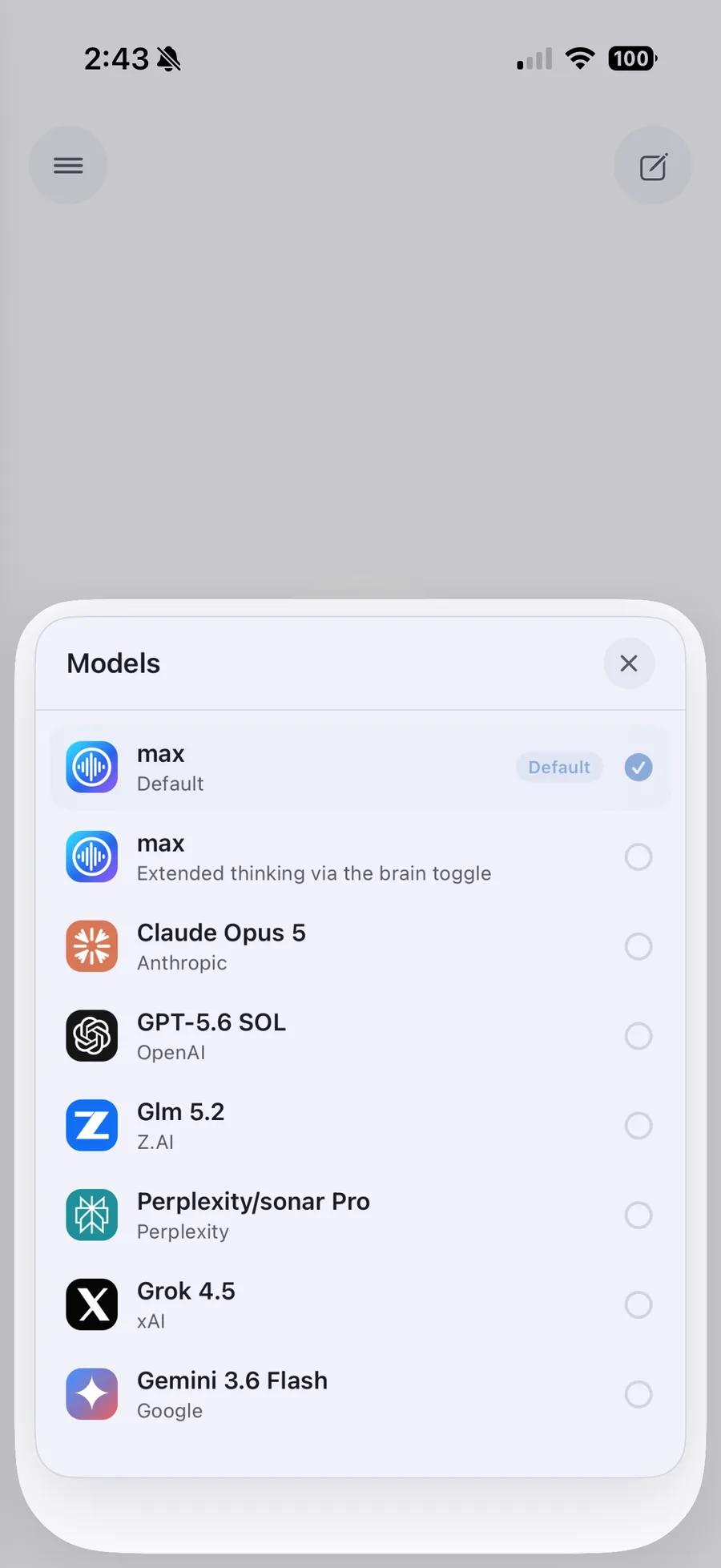
The iOS client is where most of this is actually used. These are unedited screen recordings from the current build, slowed down so the interface is readable at a glance.
What remains private
Project Kaizen has a public surface, but it is not a public copy of the private system.
- Public users get KaizenAI Open, a limited and rate-limited chat lane.
- Public users do not get private Max memory.
- Public users do not get SMS access or call access.
- Public users do not get reminders or contact relay.
- Public users do not get home automation, stack controls, secrets, prompts, logs, or private files.
- Public pages do not publish phone numbers, internal hostnames, tokens, dashboard routes, or private transcripts.
How to evaluate the work
The right proof is not a dramatic screenshot. The right proof is a combination of running services, dated release notes, public demo behavior, dashboard screenshots with private data redacted, and sanitized architecture descriptions.
For public verification, start with the public lane at chat.intrac.net. It is intentionally limited, but it is live. Then compare that with the public dashboard summary and release notes to see the private areas that exist behind authentication: services, observability, logs, notifications, communications, backups, Beacon workflows, access tiers, prompts, skills, and public-edge controls.
The claim is not that every private control is public. The claim is that the system has working public and private lanes with clear boundaries.
Why this matters
Most AI demos are either a public chatbot or a private pile of scripts. Project Kaizen is trying to be an operating layer: local-first models, governed cloud lanes, a public demo, authenticated users, profile-scoped memory, SMS, voice-call alerts, reminders, voice, image workflows, logs, backups, and dashboard controls under one boundary model.
The July 2026 communications work makes that more tangible. The system can now talk back through real communication channels, verify delivery, and keep a record of what happened — and as of mid-July, approved users can call in and talk to Max in real time. That is less flashy than a hype screenshot, but it is the part that makes the platform feel real in daily use.